Gmail Rejecting VPS Emails? Full Deliverability Guide (2026)
If Gmail is:
❌ Rejecting your emails
❌ Sending them to spam
❌ Showing “Unauthenticated sender”
❌ Saying “Message blocked”
And you’re sending from a VPS using:
This guide explains exactly why and how to fix it properly.
—
🚨 Why Gmail Rejects VPS Emails
Gmail is extremely strict with new VPS IP addresses.
Most VPS IPs are:
Gmail evaluates:
IP reputation
Reverse DNS (PTR)
SPF
DKIM
DMARC
SSL validity
Sending behavior
If any of these fail → rejection.
—
🧠 Step 1: Check the Exact Gmail Error
Open the bounce message and look for:
550-5.7.1
Unauthenticated email
IP reputation low
SPF fail
DKIM fail
PTR missing
That tells you the cause.
—
✅ STEP 2: Configure Reverse DNS (PTR) — Mandatory
Your VPS provider must set:
$$
YOUR_SERVER_IP → mail.yourdomain.com
$$
Forward DNS must match:
$$
mail.yourdomain.com → YOUR_SERVER_IP
$$
Without PTR → Gmail distrusts your server automatically.
—
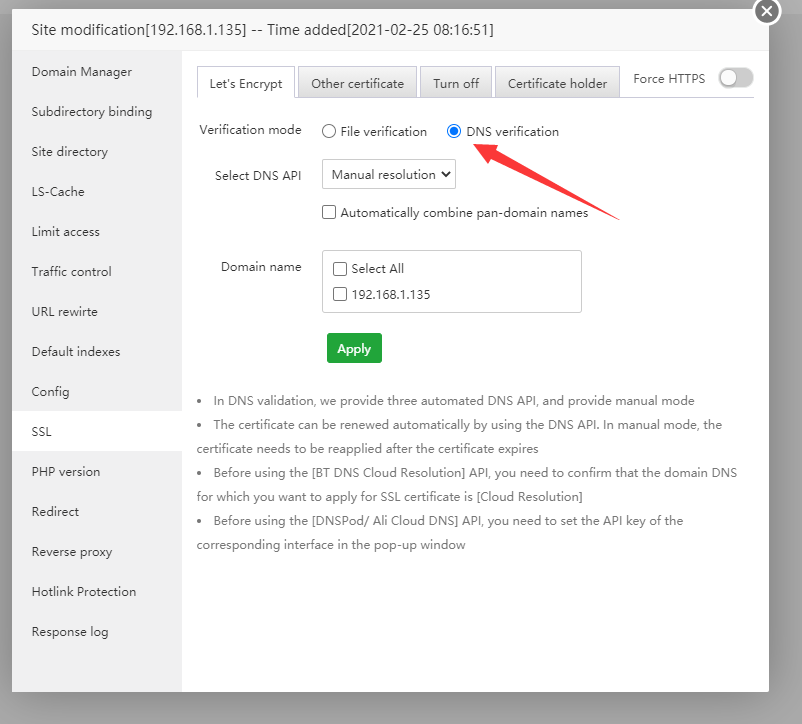
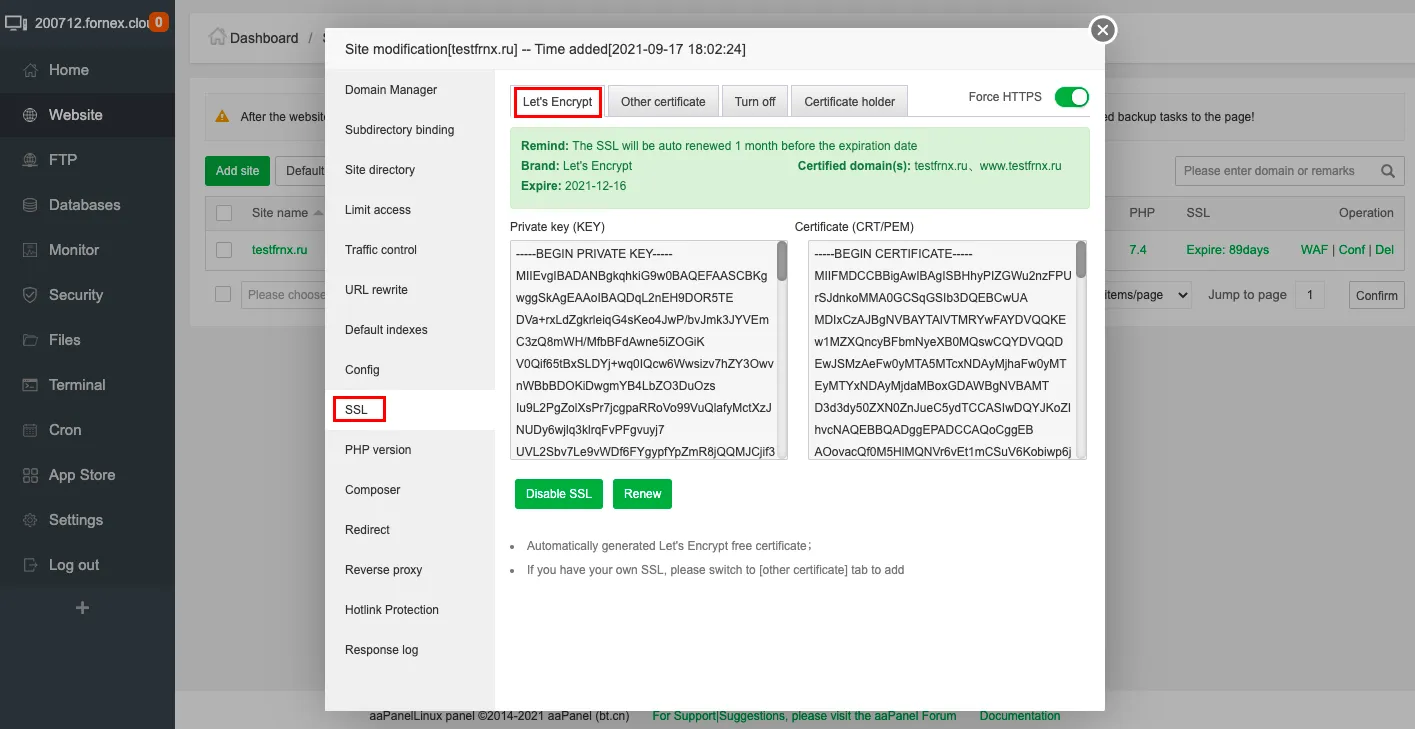
✅ STEP 3: Install Proper Mail SSL
4
Install Let’s Encrypt SSL for:
$$
mail.yourdomain.com
$$
Never use:
Self-signed SSL
Server IP as SMTP host
SMTP must match certificate hostname.
—
✅ STEP 4: Add SPF Record
In DNS (example: Cloudflare):
$$
Type: TXT
Name: @
Value:
v=spf1 mx a ip4:YOUR_SERVER_IP all
$$
SPF tells Gmail your IP is authorized.
—
✅ STEP 5: Enable DKIM
Inside aaPanel:
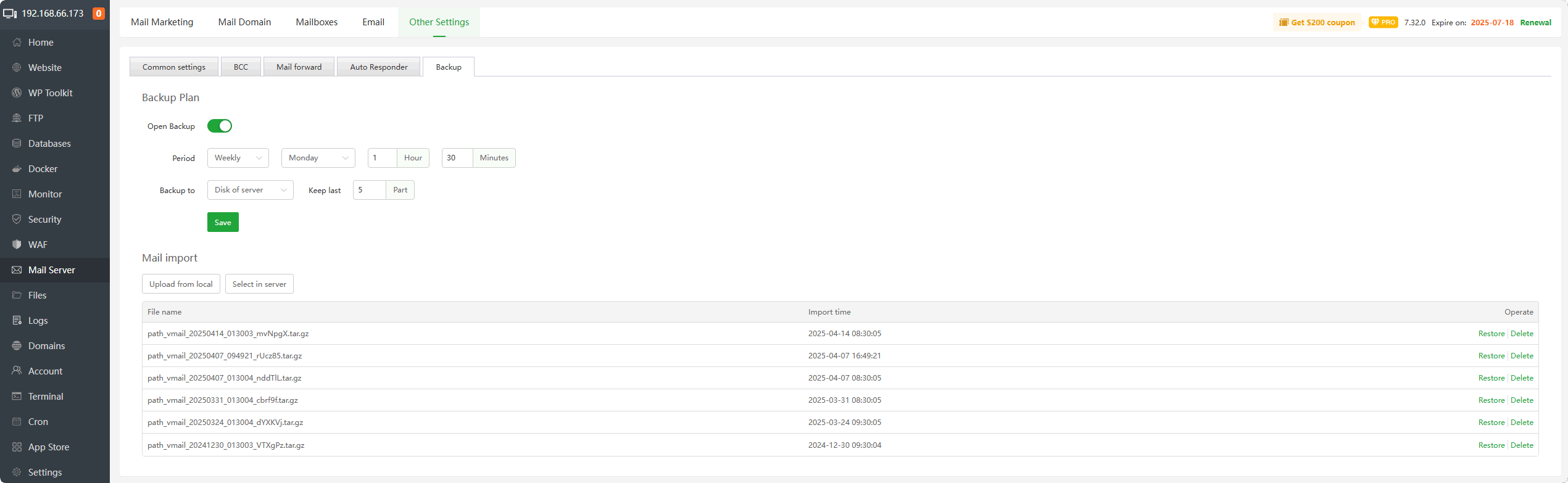
Mail Server → Enable DKIM
Add the generated TXT record in DNS.
DKIM signs your messages digitally.
Without DKIM → Gmail reduces trust.
—
✅ STEP 6: Add DMARC
Add:
$$
Type: TXT
Name: _dmarc
Value:
v=DMARC1; p=none; rua=mailto:postmaster@yourdomain.com
$$
Later upgrade to:
$$
p=quarantine
$$
After confirming everything passes.
—
✅ STEP 7: Warm Up Your VPS IP (Very Important)
If your VPS IP is new:
Do NOT send bulk emails immediately.
Instead:
✔ Send 5–10 emails per day
✔ Send to real contacts
✔ Get replies
✔ Gradually increase volume
Sudden mass sending → instant Gmail block.
—
✅ STEP 8: Check If IP Is Blacklisted
Search your IP in blacklist databases.
If blacklisted:
✔ Request delisting
✔ Or ask VPS provider for new IP
Many VPS IPs were abused before you received them.
—
⚠ Why Gmail Distrusts VPS More Than Shared Hosting
Shared hosting providers:
✔ Warm up IPs
✔ Maintain reputation
✔ Have dedicated mail infrastructure
VPS users must do it manually.
—
🔥 If Deliverability Still Fails
Consider using external SMTP relay:
Amazon SES
SendGrid
Mailgun
You can still host your website on VPS — but relay mail externally.
—
⚡ Quick Deliverability Checklist
| Item | Status |
|---|
| PTR configured | ✅ |
| SPF added | ✅ |
| DKIM enabled | ✅ |
| DMARC added | ✅ |
| SSL installed for mail hostname | ✅ |
| Mail DNS not proxied | ✅ |
| IP not blacklisted | ✅ |
| Sending warmed up | ✅ |
—
🚀 Best VPS Email Setup (2026 Standard)
✔ Hostname = mail.yourdomain.com
✔ PTR matches hostname
✔ SPF + DKIM + DMARC active
✔ Port 465 or 587 only
✔ No Cloudflare proxy on mail
✔ Gradual IP warm-up
—
#aaPanel #GmailFix #EmailDeliverability #VPSMail #SMTP #PTRRecord #SPF

