How To Speed Up aaPanel Server (Redis + OPcache Setup) – 2026 Guide
Is your server:
❌ Loading slowly?
❌ Using high CPU?
❌ Showing lag under small traffic?
❌ Slow admin panel?
If you’re using:
This guide will dramatically improve performance using:
✔ Redis
✔ OPcache
✔ PHP tuning
✔ Nginx optimization
—
🧠 Why aaPanel Servers Become Slow
Performance problems usually come from:
Goal:
✔ Reduce PHP processing
✔ Reduce MySQL queries
✔ Lower CPU load
✔ Improve response time
—
🚀 Step 1: Enable OPcache (Massive Speed Boost)
OPcache stores compiled PHP code in memory.
Without OPcache → PHP compiles scripts every request.
—
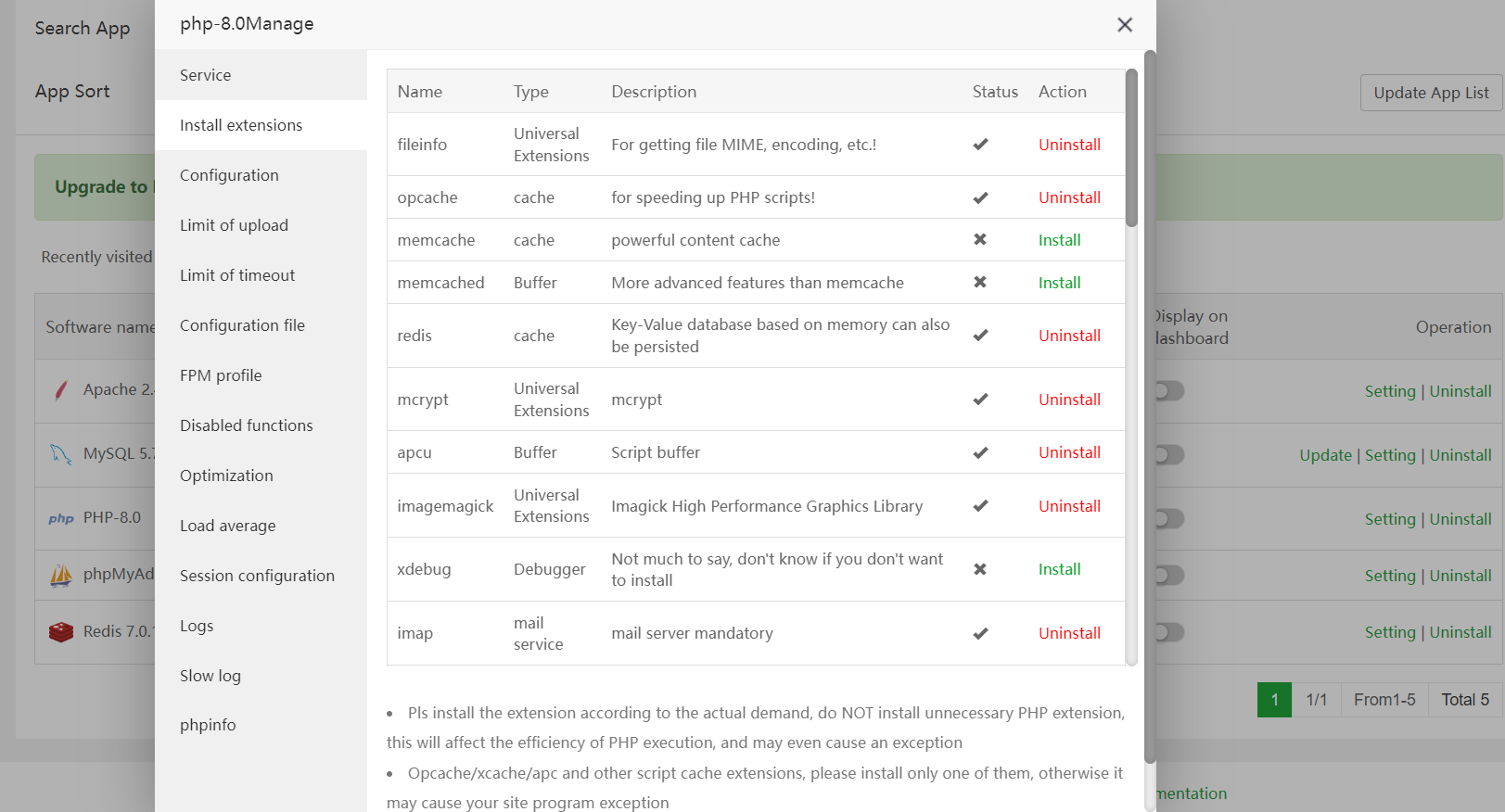
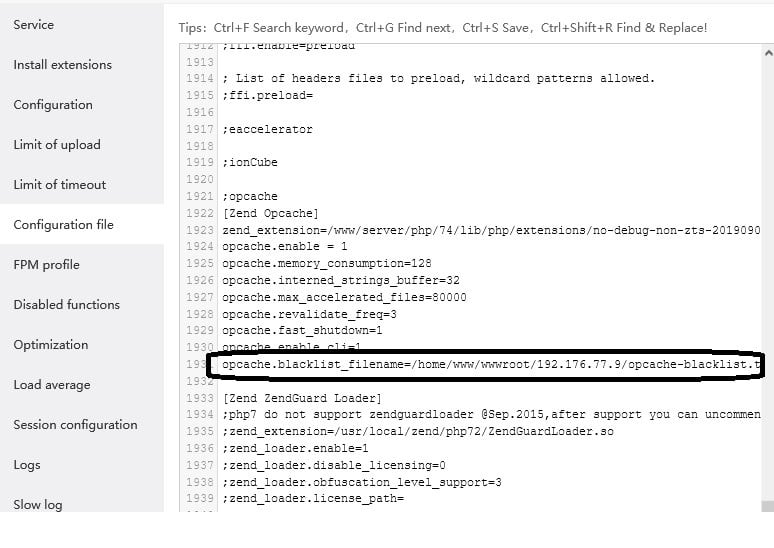
🟢 Enable OPcache in aaPanel
4
Inside aaPanel:
Go to PHP
Click Extensions
Enable OPcache
Restart PHP
—
🟢 Recommended OPcache Settings (1GB–2GB VPS)
In PHP config:
$$
opcache.enable=1
opcache.memory_consumption=128
opcache.max_accelerated_files=10000
opcache.revalidate_freq=60
$$
Result:
✔ Reduced CPU usage
✔ Faster page load
✔ Lower PHP execution time
—
🚀 Step 2: Install Redis (Huge Database Optimization)
Redis stores database query results in memory.
Without Redis:
Website repeatedly queries MySQL.
With Redis:
✔ Cached responses
✔ Reduced database load
✔ Faster dynamic pages
—
🟢 Install Redis in aaPanel
Go to App Store
Install Redis
Start service
—
🟢 Enable Redis in PHP
Enable Redis extension in:
PHP → Extensions → Redis
Restart PHP.
—
🟢 WordPress Users (Important)
Install Redis Object Cache plugin.
Activate it.
Now WordPress stops hammering MySQL.
—
🚀 Step 3: Optimize PHP-FPM
Too many PHP workers = CPU spike.
For 1GB VPS:
$$
pm = dynamic
pm.max_children = 8
pm.start_servers = 2
pm.min_spare_servers = 2
pm.max_spare_servers = 4
$$
Restart PHP.
—
🚀 Step 4: Switch to Nginx (If Using Apache)
Apache is heavier.
Inside aaPanel:
App Store → Install Nginx
Disable Apache.
Nginx handles concurrency better on low RAM.
—
🚀 Step 5: Optimize MariaDB
Inside Database → Config:
$$
innodb_buffer_pool_size = 128M
max_connections = 30
query_cache_size = 16M
$$
Restart database.
—
🚀 Step 6: Enable Gzip & Browser Caching
In Nginx config:
$$
gzip on;
gzip_types text/plain text/css application/json application/javascript;
$$
Add cache headers:
$$
expires 30d;
$$
Reduces repeated file loading.
—
🚀 Step 7: Use Cloudflare CDN
If using:
Enable:
✔ Full (Strict) SSL
✔ Caching
✔ Bot protection
✔ HTTP/2
Offloads traffic from VPS.
—
⚡ Performance Comparison (Before vs After)
| Feature | Without Redis/OPcache | With Setup |
|---|
| PHP Load | High | Low |
| MySQL Queries | Frequent | Reduced |
| CPU Usage | 70–100% | 20–50% |
| Page Speed | Slow | Fast |
—
🔥 Ideal Fast Stack (2026)
✔ Nginx
✔ PHP 8.1
✔ OPcache enabled
✔ Redis enabled
✔ MariaDB tuned
✔ 1GB swap
✔ Cloudflare CDN
—
🧠 Check Performance
Use:
$$
top
htop
$$
Healthy idle:
✔ CPU < 20%
✔ RAM < 70% usage
✔ Load average < 1.0
—
Web Development #aaPanel #Redis #OPcache #VPSOptimization #ServerPerformance #Cloudflare #WebHosting

