aaPanel Website Showing 403 Forbidden – Permission Fix (2026 Deep Guide)
If your website shows:
❌ 403 Forbidden
❌ Access denied
❌ You don’t have permission to access this resource
And you’re using:
This guide will fix the issue step-by-step.
—
🧠 What 403 Forbidden Actually Means
A 403 error means:
The server received your request — but refuses access.
Unlike 500 errors, this is usually a permission or configuration problem.
—
🚨 Top Causes of 403 in aaPanel
Incorrect file permissions
Incorrect file ownership
Missing index file
.htaccess blocking access
Nginx config misconfigured
Firewall blocking your IP
Cloudflare security rules
Directory listing disabled
—
✅ Step-by-Step Fix
—
🟢 STEP 1: Fix File Permissions (Most Common Cause)
Correct permission settings:
$$
Folders → 755
Files → 644
$$
Inside aaPanel:
File Manager
Navigate to:
$$
/www/wwwroot/yourdomain.com
$$
Right-click root folder
Set permissions recursively
⚠ Never use 777 — it can trigger security blocks.
—
🟢 STEP 2: Fix File Ownership
Wrong ownership causes 403 even if permissions look correct.
Correct owner:
$$
www:www
$$
Run:
$$
chown -R www:www /www/wwwroot/yourdomain.com
$$
Restart Nginx or Apache afterward.
—
🟢 STEP 3: Check for index File
Your website root must contain:
$$
index.php
$$
or
$$
index.html
$$
If missing → Nginx returns 403.
—
🟢 STEP 4: Apache Users – Check .htaccess
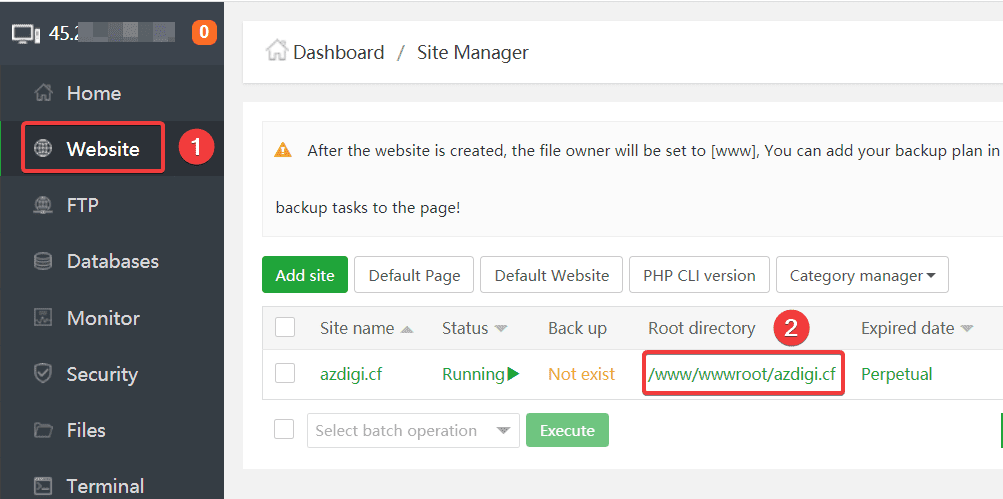
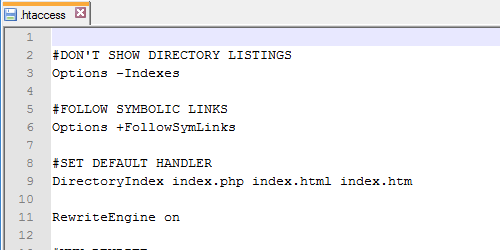
4
Rename temporarily:
$$
.htaccess → .htaccess_backup
$$
Refresh page.
If site loads → your .htaccess contains restrictive rule.
Common blocking rule:
$$
Deny from all
$$
Remove incorrect deny directives.
—
🟢 STEP 5: Nginx Users – Check Config
Inside aaPanel:
Website → Config
Ensure you have:
$$
index index.php index.html index.htm;
$$
Also ensure location block allows access:
$$
location / {
try_files $uri $uri/ /index.php?$query_string;
}
$$
Restart Nginx.
—
🟢 STEP 6: Check Firewall & Security
Inside aaPanel → Security:
✔ Ensure your IP is not blocked
✔ Check if Fail2Ban banned your IP
✔ Whitelist if needed
Too many login attempts can trigger a block.
—
🟢 STEP 7: Cloudflare Users
If using:
Check:
✔ No firewall rule blocking your country/IP
✔ Disable Bot Fight Mode temporarily
✔ SSL mode set to Full (Strict)
Cloudflare can trigger 403 before request reaches your server.
—
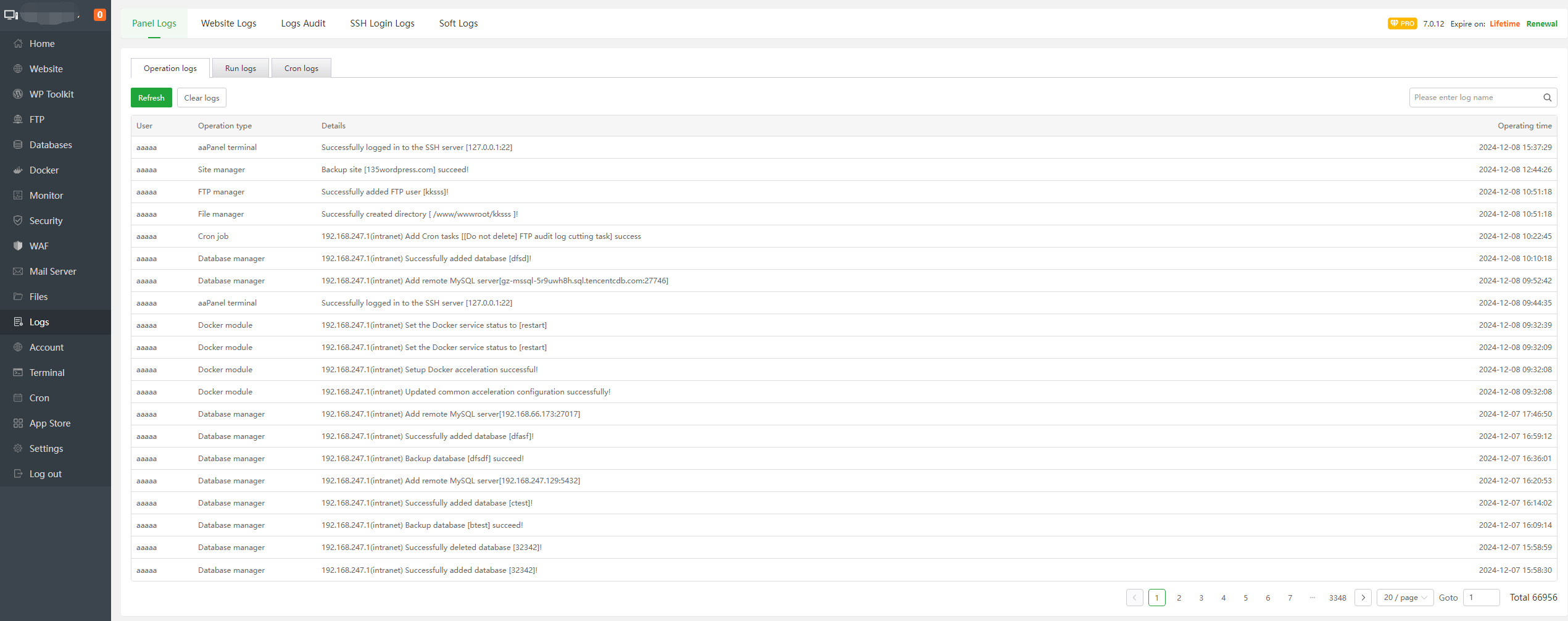
🟢 STEP 8: Check Error Logs (Always Do This)
Inside aaPanel:
Website → Logs
Or check:
$$
/www/wwwlogs/yourdomain.com.log
$$
Look for:
Logs give exact cause.
—
🔥 Advanced Causes
✔ SELinux enabled and blocking access
✔ PHP handler misconfigured
✔ Wrong root directory set in aaPanel
✔ Directory browsing disabled without index
✔ Corrupted CMS files
—
⚡ Quick Fix Checklist
| Fix | Done |
|---|
| Permissions 755/644 | ✅ |
| Ownership www:www | ✅ |
| index file exists | ✅ |
| .htaccess checked | ✅ |
| Nginx config valid | ✅ |
| Firewall checked | ✅ |
| Logs reviewed | ✅ |
—
🚀 Best Stable Setup (2026 Recommended)
✔ Use Nginx for lightweight performance
✔ Keep strict permissions
✔ Avoid chmod 777
✔ Enable proper SSL
✔ Monitor logs weekly
—
#aaPanel #403Forbidden #PermissionFix #VPSHosting #ServerError #Cloudflare #HostingTroubleshooting

