aaPanel SMTP Authentication Failed – How To Fix (2026 Guide)
Seeing this error?
❌ SMTP Authentication Failed
❌ 535 Authentication failed
❌ Could not authenticate user
❌ Invalid login credentials
If you’re using:
This guide will help you fix it step-by-step.
—
🚨 Why SMTP Authentication Fails
This error means:
The mail server rejected your login attempt.
Common causes:
✔ Wrong username format
✔ Wrong password
✔ Using wrong SMTP port
✔ SSL not configured correctly
✔ Mailbox not created
✔ IP blocked by firewall
✔ Cloudflare proxy enabled on mail record
—
✅ Step-by-Step Fix (2026 Method)
—
🟢 STEP 1: Use Correct Username Format
Most people fail here.
Correct format:
$$
full-email@yourdomain.com
$$
❌ Not just:
$$
username
$$
SMTP requires the FULL email address as username.
—
🟢 STEP 2: Confirm Mailbox Exists
Inside aaPanel:
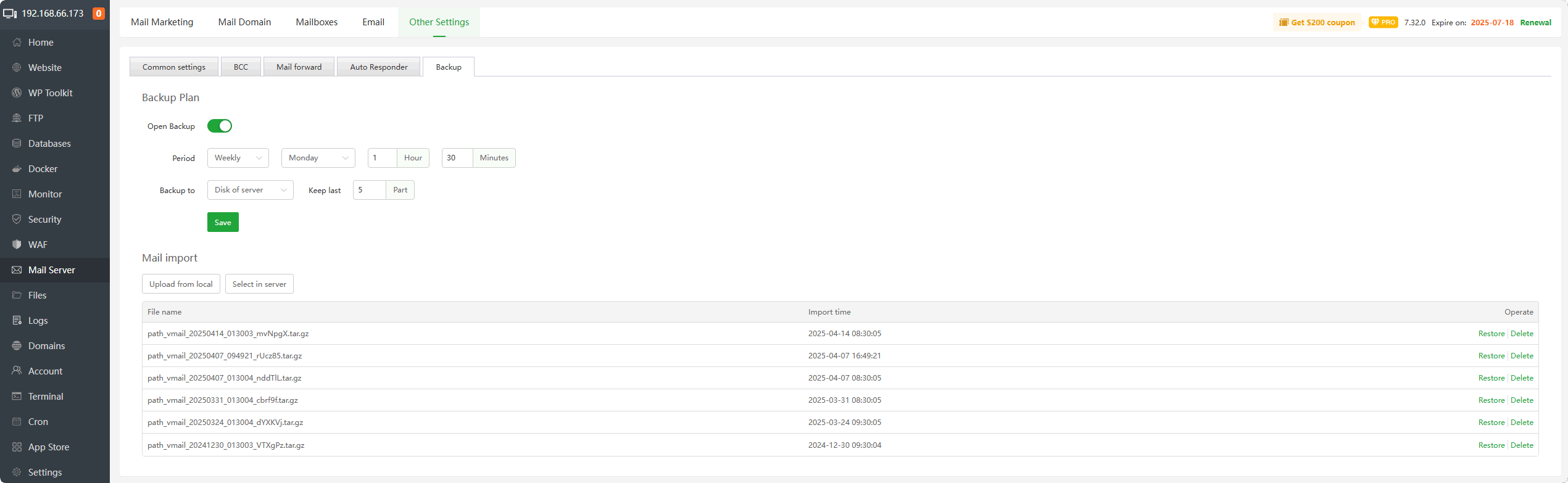
Mail Server → Mailboxes
Ensure the mailbox exists and password is correct.
If unsure:
✔ Reset password
✔ Save changes
✔ Restart mail service
—
🟢 STEP 3: Use Correct SMTP Settings
Correct configuration:
SMTP (SSL)
$$
Server: mail.yourdomain.com
Port: 465
Encryption: SSL
Authentication: Enabled
$$
OR
SMTP (TLS)
$$
Server: mail.yourdomain.com
Port: 587
Encryption: STARTTLS
$$
Never use:
$$
Port 25 (for client authentication)
$$
—
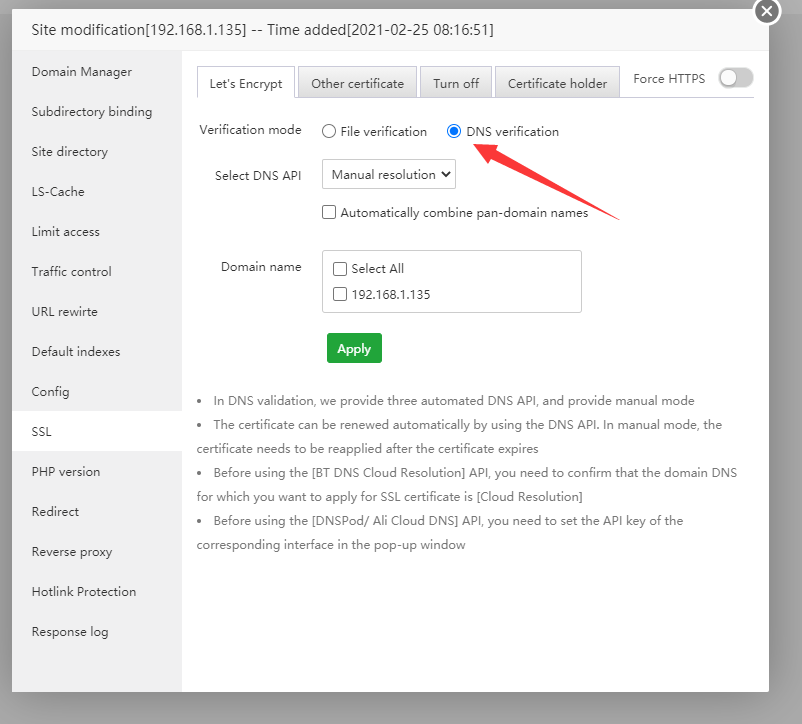
🟢 STEP 4: Check SSL for Mail Subdomain

4
Make sure SSL is installed for:
$$
mail.yourdomain.com
$$
If not:
Website → Add mail.yourdomain.com → Install Let’s Encrypt.
Without proper SSL → authentication may fail.
—
🟢 STEP 5: Ensure Mail DNS Is Not Proxied
If using:
Set mail DNS record to:
$$
DNS Only (Grey Cloud)
$$
Cloudflare does NOT proxy:
If orange-cloud enabled → authentication fails.
—
🟢 STEP 6: Check Firewall / Fail2Ban
Inside aaPanel → Security:
✔ Ensure your IP is not blocked
✔ Check login attempts
✔ Whitelist your IP
Too many failed logins can trigger automatic ban.
—
🟢 STEP 7: Restart Mail Service
Sometimes service glitches.
Inside aaPanel:
Mail Server → Restart
Or restart Postfix / Exim depending on configuration.
—
🔎 Advanced Debugging
If still failing:
Run via SSH:
$$
tail -f /var/log/maillog
$$
Or check mail logs inside aaPanel.
Look for:
authentication failure
SASL error
login denied
Logs reveal exact issue.
—
🔥 WordPress SMTP Plugin Users
If using contact form or SMTP plugin:
Ensure:
✔ Authentication enabled
✔ From email matches mailbox
✔ Hostname matches SSL certificate
✔ No hardcoded wrong port
—
⚡ Quick Fix Checklist
| Check | Done |
|---|
| Full email used as username | ✅ |
| Mailbox exists | ✅ |
| Correct password | ✅ |
| Port 465 or 587 used | ✅ |
| SSL installed | ✅ |
| Mail DNS not proxied | ✅ |
| IP not blocked | ✅ |
| Mail service restarted | ✅ |
—
🚀 Best Secure Setup (2026 Recommended)
✔ Hostname = mail.yourdomain.com
✔ SSL installed for mail subdomain
✔ SPF, DKIM, DMARC configured
✔ PTR record set
✔ Cloudflare Full (Strict)
✔ Mail record DNS Only
—
#aaPanel #SMTP #MailServer #VPSMail #AuthenticationError #Cloudflare #HostingFix

