🔥 aaPanel Email Not Sending to Gmail – SPF, DKIM & DMARC Setup (2026 Guide)
Are your emails:
❌ Not reaching Gmail inbox?
❌ Landing in spam?
❌ Getting rejected with authentication errors?
If you’re using:
Then this guide will help you configure SPF, DKIM, and DMARC properly for Gmail delivery.
—
🚨 Why Gmail Rejects VPS Emails
Gmail checks three critical authentication layers:
✔ SPF (Sender Policy Framework)
✔ DKIM (DomainKeys Identified Mail)
✔ DMARC (Domain-based Message Authentication)
If one fails → spam or rejection.
—
🧠 How Email Authentication Works
When your server sends an email:
Gmail checks if your IP is allowed (SPF)
Gmail checks digital signature (DKIM)
Gmail checks domain policy (DMARC)
Gmail checks reverse DNS
Gmail checks IP reputation
All must align.
—
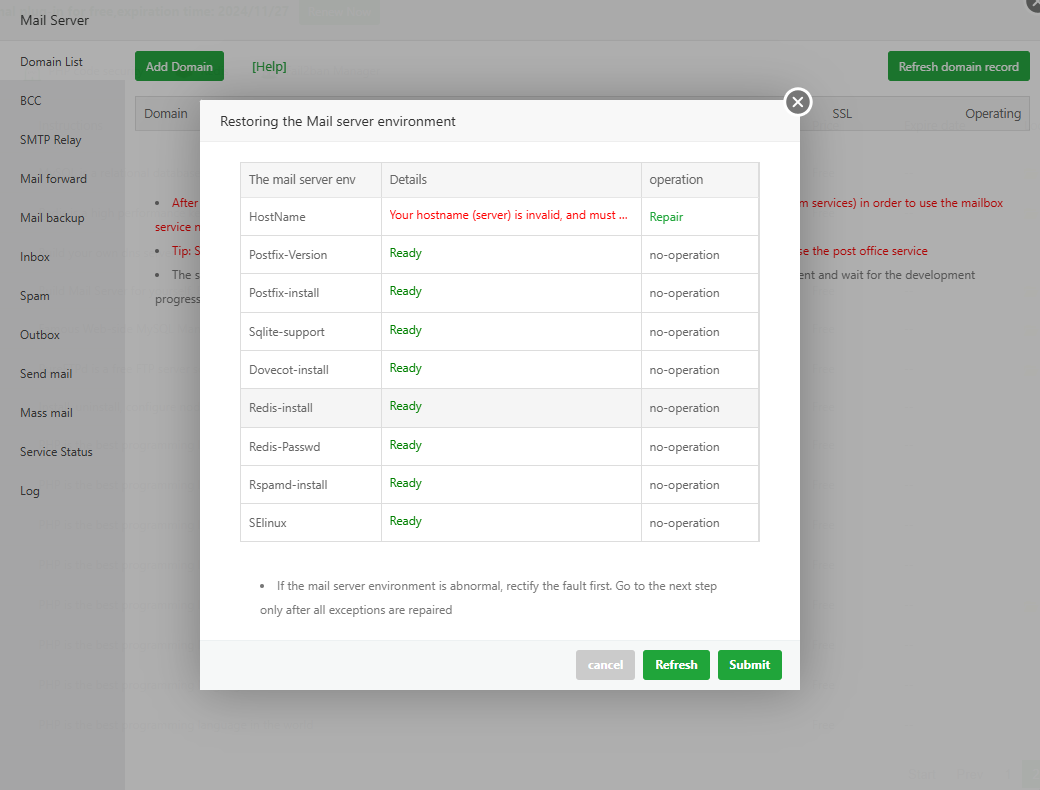
✅ STEP 1: Set Proper Mail Hostname
Before DNS setup:
Inside aaPanel → Mail Server:
Set hostname to:
$$
mail.yourdomain.com
$$
Restart mail service.
Also ensure:
$$
mail.yourdomain.com → YOUR_SERVER_IP
$$
—
✅ STEP 2: Add SPF Record
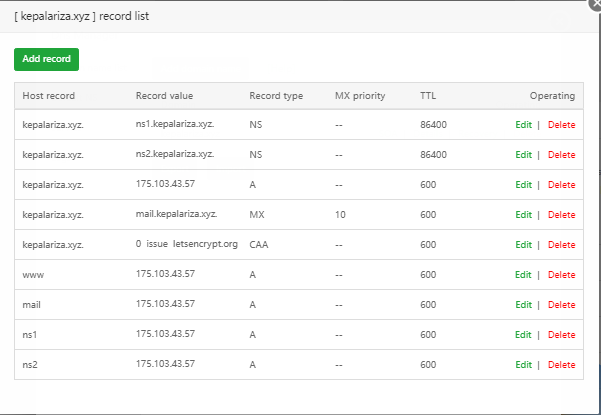
Go to your DNS provider (for example, Cloudflare).
Add TXT record:
$$
Type: TXT
Name: @
Value:
v=spf1 mx a ip4:YOUR_SERVER_IP all
$$
What this does:
✔ Authorizes your VPS IP to send emails for your domain.
—
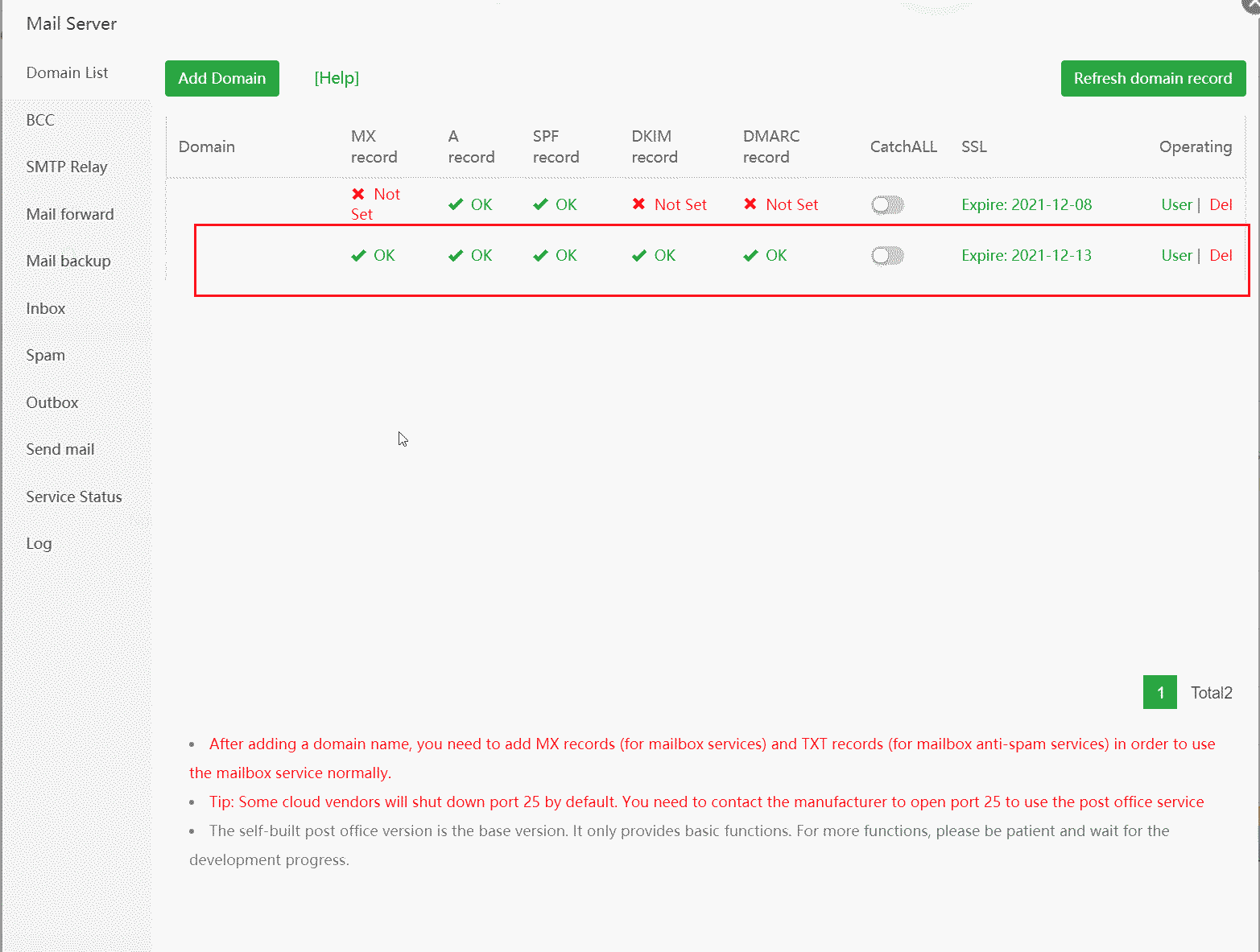
✅ STEP 3: Enable DKIM in aaPanel
4
Inside aaPanel:
Mail Server → Enable DKIM
You’ll see a TXT record like:
$$
default._domainkey.yourdomain.com
$$
Copy the full TXT value.
Add it to DNS as:
$$
Type: TXT
Name: default._domainkey
Value: (paste DKIM key)
$$
Save.
This digitally signs outgoing emails.
—
✅ STEP 4: Add DMARC Record
Add another TXT record:
$$
Type: TXT
Name: _dmarc
Value:
v=DMARC1; p=none; rua=mailto:postmaster@yourdomain.com
$$
What it does:
✔ Tells Gmail how to handle failed messages
✔ Improves trust
Later you can change:
$$
p=none → p=quarantine → p=reject
$$
After confirming proper setup.
—
✅ STEP 5: Configure Reverse DNS (PTR)
Contact your VPS provider and request:
$$
YOUR_SERVER_IP → mail.yourdomain.com
$$
Forward and reverse DNS must match.
Without PTR → Gmail distrusts your server.
—
✅ STEP 6: Install SSL for Mail Subdomain
Install Let’s Encrypt SSL for:
$$
mail.yourdomain.com
$$
Use:
SMTP: 465 (SSL)
IMAP: 993 (SSL)
Never proxy mail through Cloudflare.
Set mail DNS to DNS Only (grey cloud).
—
🔎 How To Test If It Works
Send test email to Gmail.
Open message → Click “Show Original”.
Check:
$$
SPF: PASS
DKIM: PASS
DMARC: PASS
$$
If all PASS → your setup is correct.
—
⚡ Quick Setup Checklist
| Item | Status |
|---|
| Mail hostname set | ✅ |
| SPF added | ✅ |
| DKIM enabled | ✅ |
| DMARC added | ✅ |
| PTR record set | ✅ |
| SSL installed for mail | ✅ |
| Mail not proxied via Cloudflare | ✅ |
—
🚀 Best Deliverability Practices (2026)
✔ Warm up new VPS IP slowly
✔ Avoid sending bulk immediately
✔ Use proper subject lines
✔ Avoid spam trigger words
✔ Keep reverse DNS aligned
—
#aaPanel #SPF #DKIM #DMARC #EmailDeliverability #GmailFix #VPSMail

