Seeing this in your browser console?
⚠ “Mixed Content: The page was loaded over HTTPS, but requested an insecure resource…”
If you’re using:
This guide will help you fix it permanently.
—
🚨 What Is Mixed Content?
Mixed content happens when:
✔ Your website loads over HTTPS
❌ But some files load over HTTP
Example:
$$
https://yourdomain.com
$$
But image loads:
$$

$$
Browsers block insecure resources — especially in 2026.
—
🧠 Why It Happens in aaPanel
Usually after:
Installing Let’s Encrypt SSL
Enabling HTTPS redirect
Connecting to Cloudflare
Migrating site from HTTP to HTTPS
Hardcoded links inside database
—
🔎 How To Detect Mixed Content
Open browser:
Right-click → Inspect → Console
You’ll see:
$$
Mixed Content: The page at ‘https://…’ was loaded over HTTPS,
but requested an insecure resource ‘http://…’
$$
That URL is your problem file.
—
✅ Step-by-Step Fix (2026 Method)
—
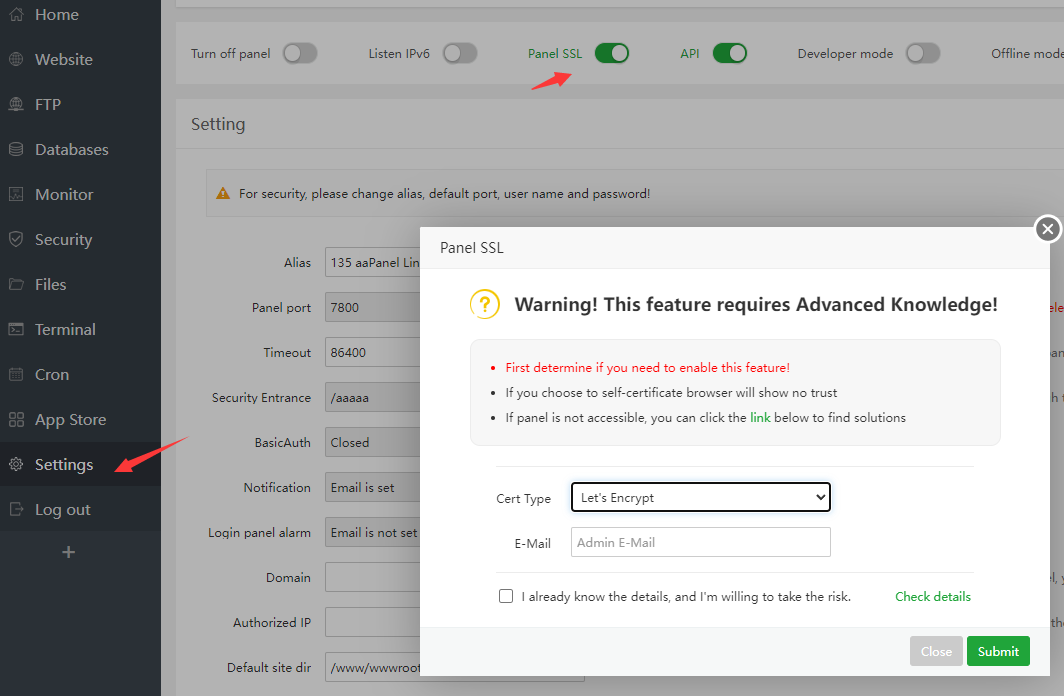
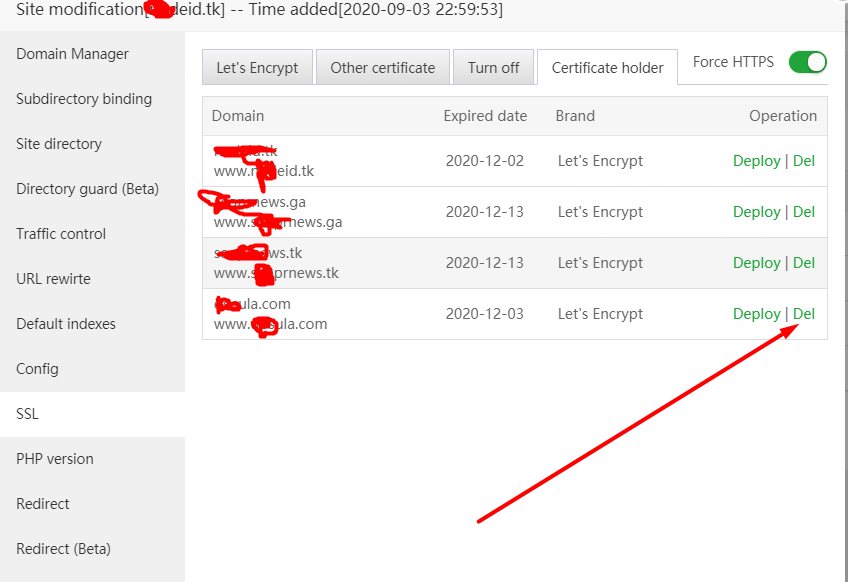
🟢 STEP 1: Confirm Proper SSL Setup

4
Check:
✔ SSL installed for your domain
✔ Cloudflare SSL mode = Full (Strict)
✔ HTTPS redirect enabled
Never use Flexible SSL.
—
🟢 STEP 2: Force HTTPS Properly
In aaPanel:
Website → Settings → Redirect
Enable:
$$
HTTP → HTTPS
$$
But avoid duplicate redirect rules in .htaccess.
—
🟢 STEP 3: Replace HTTP URLs in Database (WordPress)
If using WordPress:
Inside database, many links may still be:
$$
http://yourdomain.com
$$
Replace with:
$$
https://yourdomain.com
$$
You can:
✔ Use search & replace plugin
✔ Or run SQL query:
$$
UPDATE wp_options SET option_value = replace(option_value, ‘http://yourdomain.com’, ‘https://yourdomain.com’);
$$
Do full database backup first.
—
🟢 STEP 4: Fix Hardcoded Links
Check:
Theme files
Header.php
Footer.php
Custom JS
CSS files
Replace all:
$$
http://
$$
With:
$$
https://
$$
—
🟢 STEP 5: Fix External Resources
Sometimes problem comes from:
External scripts
CDN links
Font files
Embedded images
Make sure all external links support HTTPS.
—
🟢 STEP 6: Clear Cache
Clear:
✔ Browser cache
✔ Cloudflare cache
✔ WordPress cache
✔ Nginx cache
Restart Nginx in aaPanel.
—
🔥 Advanced Fix (Nginx Users)
Add this to Nginx config:
$$
add_header Content-Security-Policy upgrade-insecure-requests;
$$
This forces browser to upgrade HTTP requests to HTTPS.
—
⚡ Quick Fix Checklist
| Check | Status |
|---|
| SSL Installed | ✅ |
| Full (Strict) Enabled | ✅ |
| HTTP → HTTPS redirect | ✅ |
| Database updated | ✅ |
| Hardcoded links fixed | ✅ |
| Cache cleared | ✅ |
—
🧠 Why Mixed Content Hurts SEO
Google treats HTTPS as ranking factor.
Mixed content can:
❌ Lower SEO trust
❌ Break site layout
❌ Block scripts
❌ Trigger security warnings
Fixing it improves:
✔ Page trust
✔ Performance
✔ Ranking stability
—
🚀 Best Practice Setup (2026 Recommended)
✔ Install Let’s Encrypt
✔ Use Full (Strict)
✔ Force HTTPS once
✔ Update database
✔ Use Nginx (lighter stack)
✔ Avoid manual redirect conflicts
—
#aaPanel #MixedContent #SSLError #VPSFix #Cloudflare #WebHosting #HTTPS

