Seeing this?
500 Internal Server Error
“The server encountered an internal error or misconfiguration…”
If you’re using:
This guide will walk you through fixing it step-by-step.
—
🚨 What Causes 500 Internal Server Error in aaPanel?
The 500 error is a server-side issue, meaning something broke in:
✔ File permissions
✔ PHP configuration
✔ .htaccess rules
✔ Memory limits
✔ Server stack (Nginx/Apache)
✔ Database connection
✔ Corrupt plugin or CMS files
—
🧠 First: Identify Your Web Server
Inside aaPanel → App Store:
Are you using Nginx?
Or Apache?
Fix steps may differ slightly.
—
✅ Step-by-Step Fix (2026 Method)
—
🟢 STEP 1: Check File & Folder Permissions
Incorrect permissions are the #1 cause.
Set:
$$
Folders: 755
Files: 644
$$
In aaPanel:
Go to File Manager
Right-click root folder
Set permissions recursively
If permissions are 777 → change immediately.
—
🟢 STEP 2: Check PHP Version
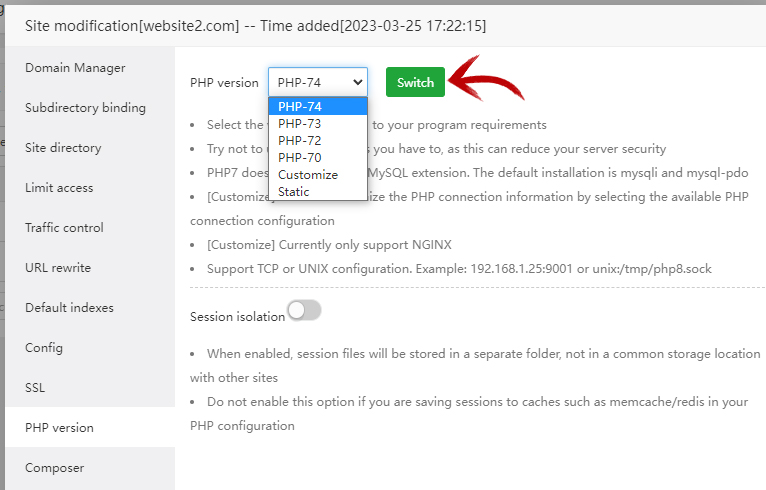
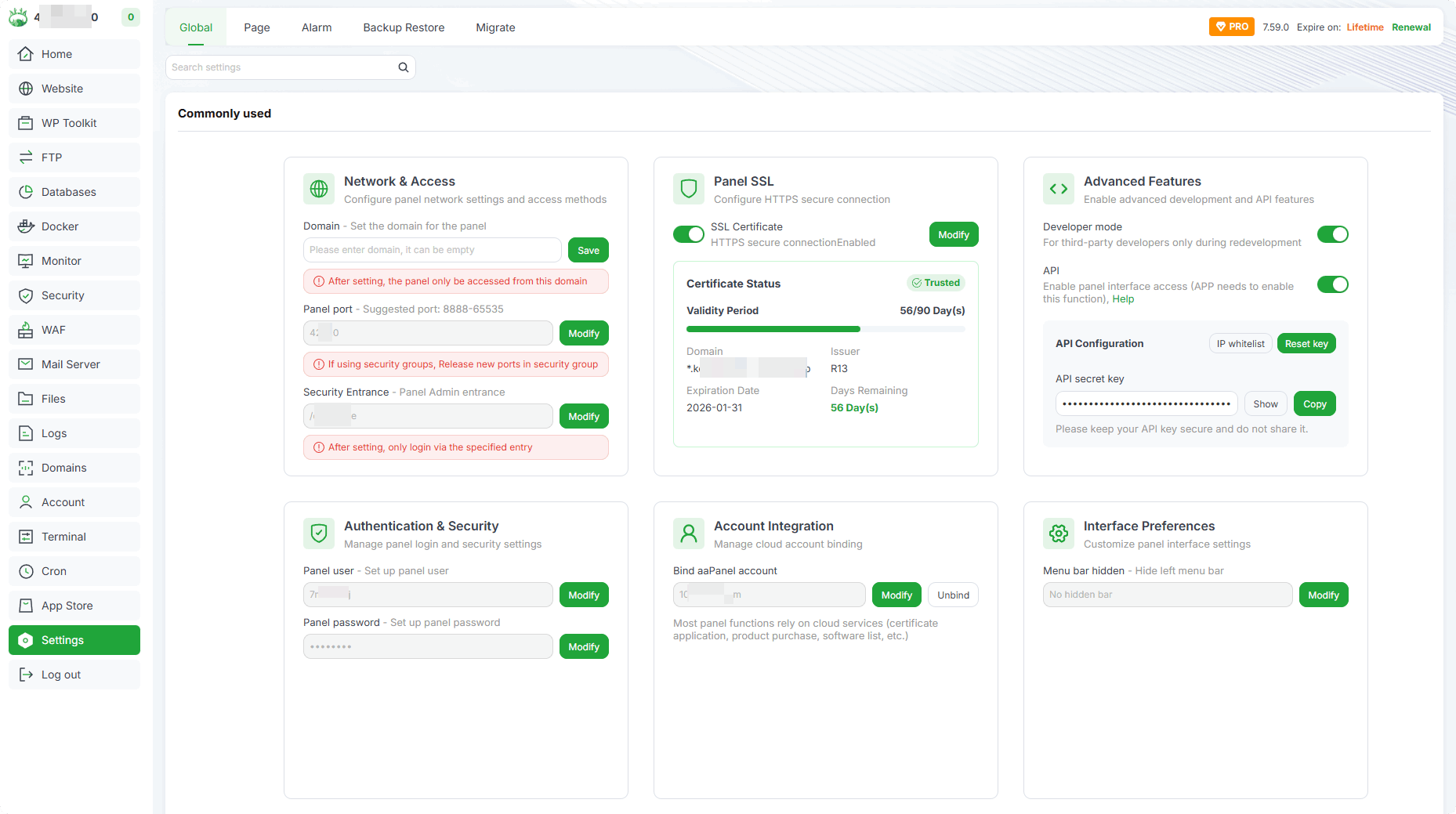
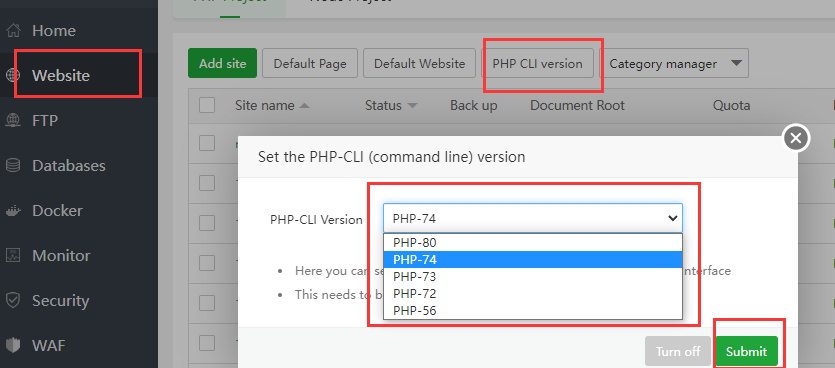
4
If your website requires PHP 8.1 but server runs 7.4 → error 500 may appear.
Inside aaPanel:
Website → Settings → PHP Version → Change accordingly.
Restart PHP after change.
—
🟢 STEP 3: Increase PHP Memory Limit
Edit PHP configuration:
$$
memory_limit = 256M
max_execution_time = 300
$$
Restart PHP service.
Low memory = fatal error → 500 error.
—
🟢 STEP 4: Check Error Logs (VERY IMPORTANT)
Inside aaPanel:
Website → Logs
Or check:
$$
/www/wwwlogs/yourdomain.com.log
$$
Logs will show real error:
Always read logs first.
—
🟢 STEP 5: Check .htaccess (Apache Only)
If using Apache:
Rename temporarily:
$$
.htaccess → .htaccess_backup
$$
Refresh website.
If site loads → your .htaccess has invalid rewrite rules.
Common problematic rule:
$$
RewriteEngine On
RewriteCond %{HTTPS} off
RewriteRule ^ https://%{HTTP_HOST}%{REQUEST_URI}
$$
Remove duplicate redirects.
—
🟢 STEP 6: Restart Services
In aaPanel dashboard:
Restart:
✔ Nginx or Apache
✔ PHP
✔ MySQL
Sometimes service crash causes 500 error.
—
🟢 STEP 7: Check Database Connection
If using WordPress or CMS:
Open config file:
$$
wp-config.php
$$
Verify:
$$
DB_NAME
DB_USER
DB_PASSWORD
DB_HOST
$$
If database is offline → 500 may appear.
—
🔎 Advanced Causes
If problem persists:
✔ Corrupt plugin
✔ Corrupt theme
✔ Missing PHP extension
✔ SELinux blocking
✔ Disk full (check storage space)
Run:
$$
df -h
$$
If disk is full → clean logs and backups.
—
⚡ Quick Fix Checklist
| Check | Status |
|---|
| Permissions 755/644 | ✅ |
| Correct PHP version | ✅ |
| Memory limit increased | ✅ |
| .htaccess checked | ✅ |
| Logs reviewed | ✅ |
| Services restarted | ✅ |
| Disk space OK | ✅ |
—
🔥 Special Case: After Installing Cloudflare
If 500 appears after enabling:
Check:
✔ SSL mismatch
✔ Flexible mode disabled
✔ Full (Strict) enabled
—
🚀 Best Practice Setup (Stable aaPanel 2026 Stack)
✔ Nginx
✔ PHP 8.1
✔ MariaDB optimized
✔ OPcache enabled
✔ Swap enabled (if 1GB VPS)
✔ Regular backups
—
#aaPanel #500Error #VPSFix #WebHosting #ServerError #Cloudflare #HostingHelp

